Free level blockout editor, in your browser
Level DraftSketch it.
Walk it.
Ship it.
Design a 3D level and walk it in first person, or build a 2D platformer, metroidvania or roguelike together with its world map.
Start workingWhat is level blockout?
Free. Nothing to install, no account. Your levels stay in your browser until you share them. Also on itch.io
Two ways to start.
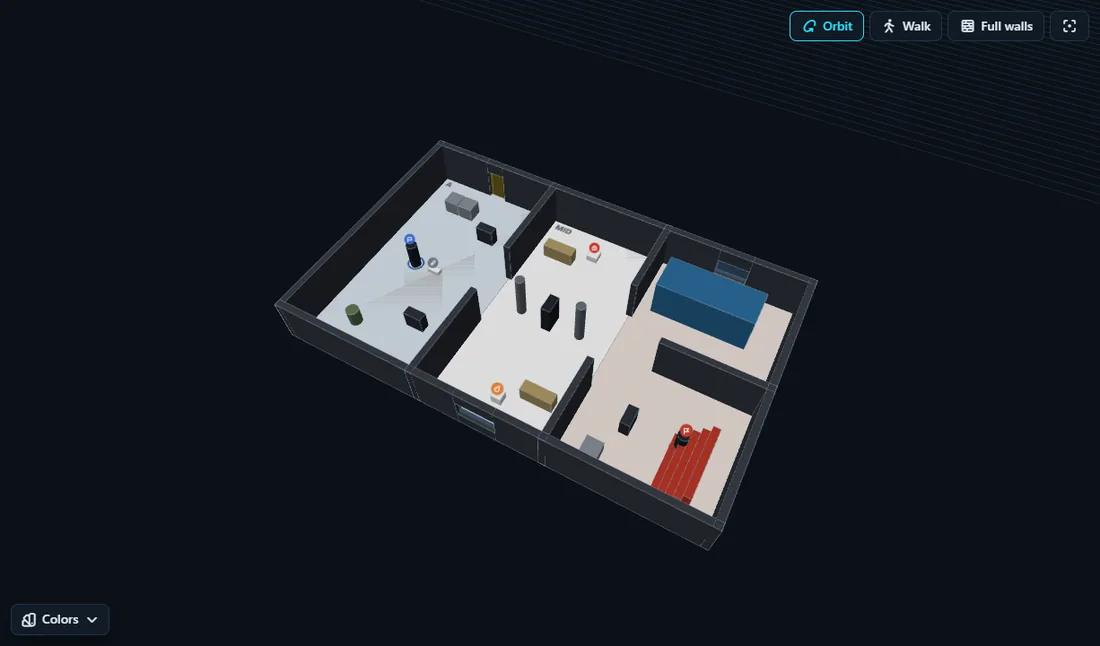 3D levelDraw the plan from above, walk it in first person, then export to Unity, Unreal or Blender.
- Walls, rooms, doors and stairs
- First-person walk with run, jump and crouch
- One-click export
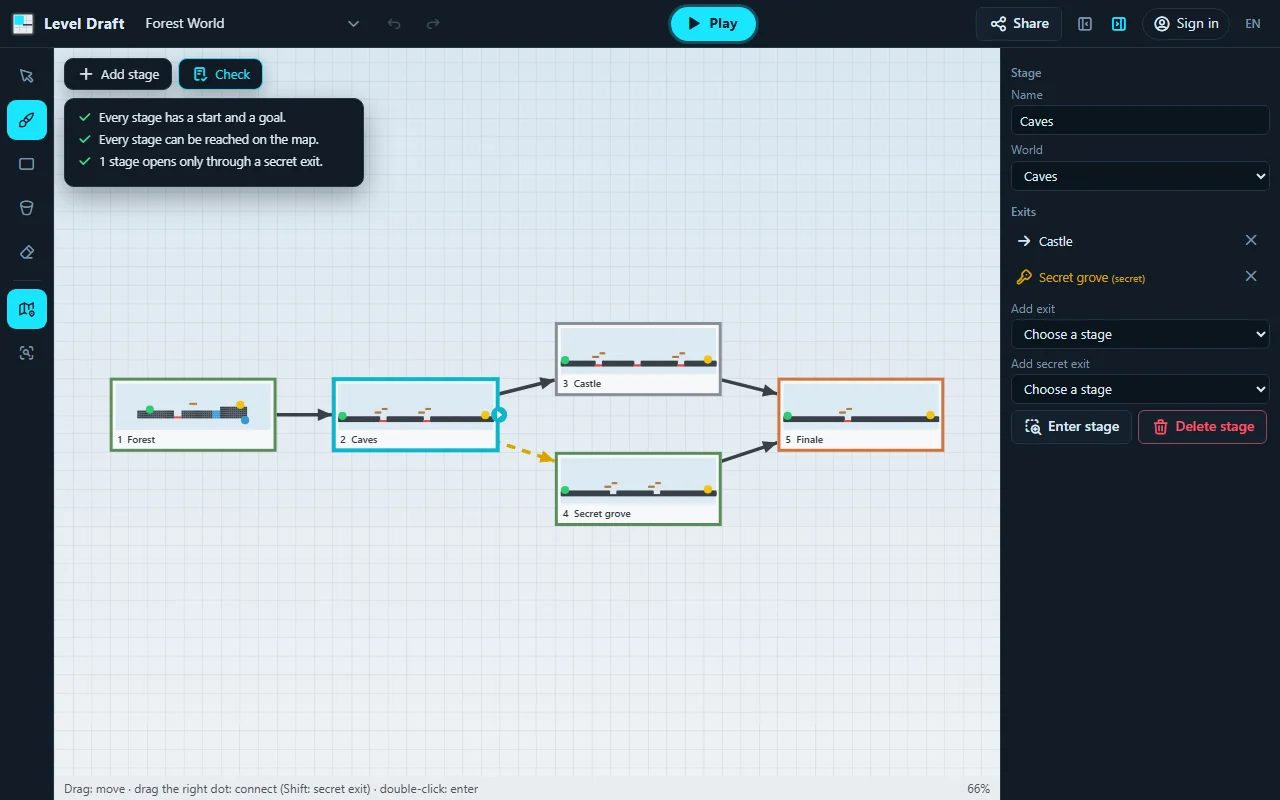 2D levelPlatformer, metroidvania or roguelike in side view. Build the stages and the world map together, then play-test in your browser.
- Tile painting with a palette for your game type
- World map with exits and secret exits
- Roguelike floors generated from your room templates
- Export to Unity (Tilemap) and Tiled
3D · Draw
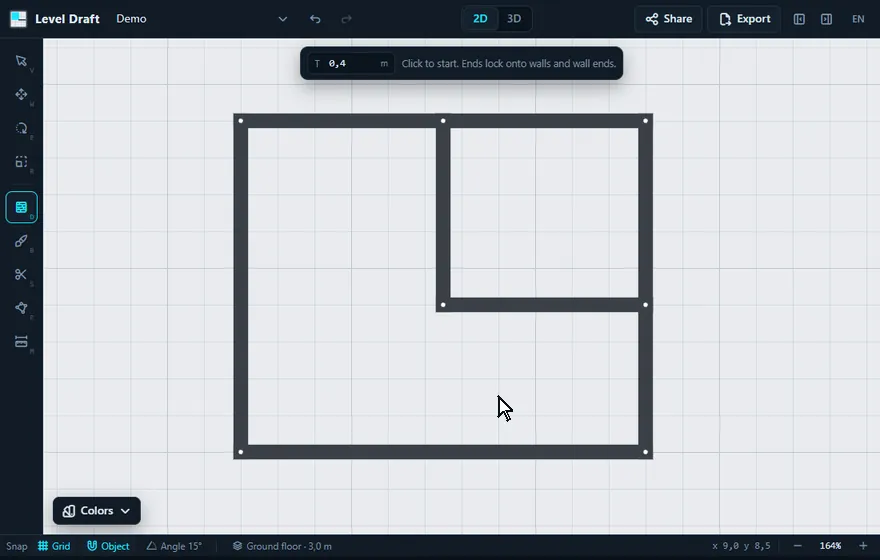
Walls as fast as you think.
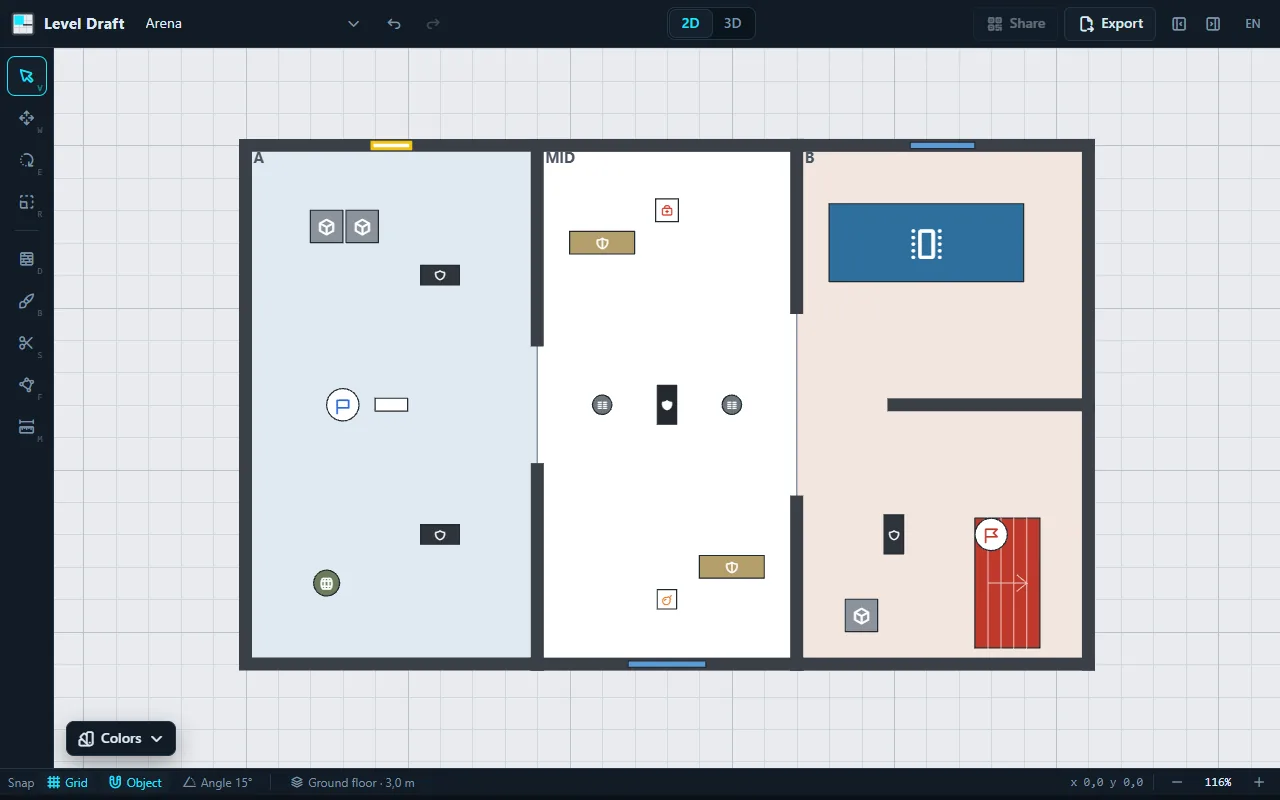
Click corner to corner. Ends lock together, T-junctions join on their own, and closed walls become rooms.
- Doors and windows cut real openings
- Split a wall and edit each part
- Several floors, each with its own height
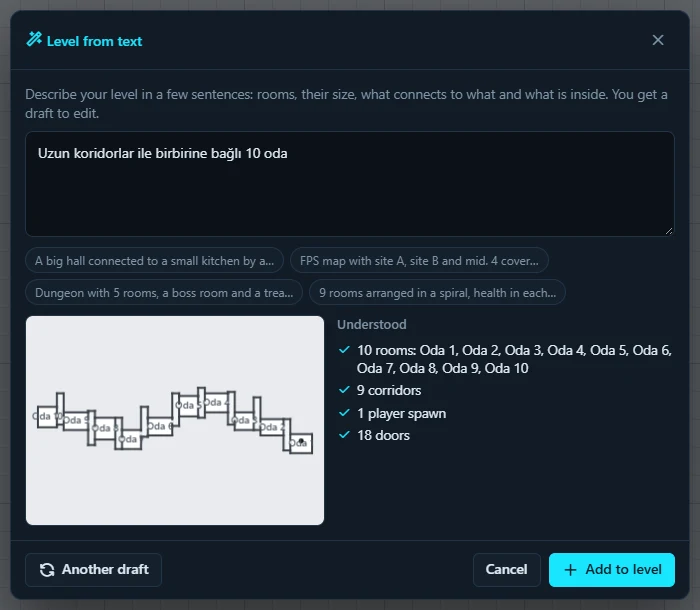
3D · New
Write the level. Get the draft.
Type a few sentences and Level Draft builds a first layout: rooms, corridors, doors and objects, in seconds. It knows games too (“like Counter-Strike”, “secret room under the stairs”), shows what it understood before it adds anything, and one undo takes it back.
- “Ten rooms connected by long corridors”
- “Rooms arranged in a spiral, boss room in the middle”
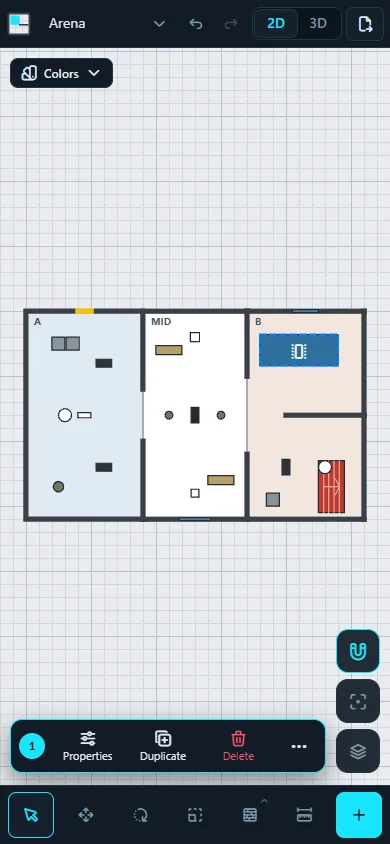
- “FPS map with site A, site B and mid, four cover in each room”
- “A map like Counter-Strike”
- “2 floors, a hall on the ground floor, 3 rooms upstairs”
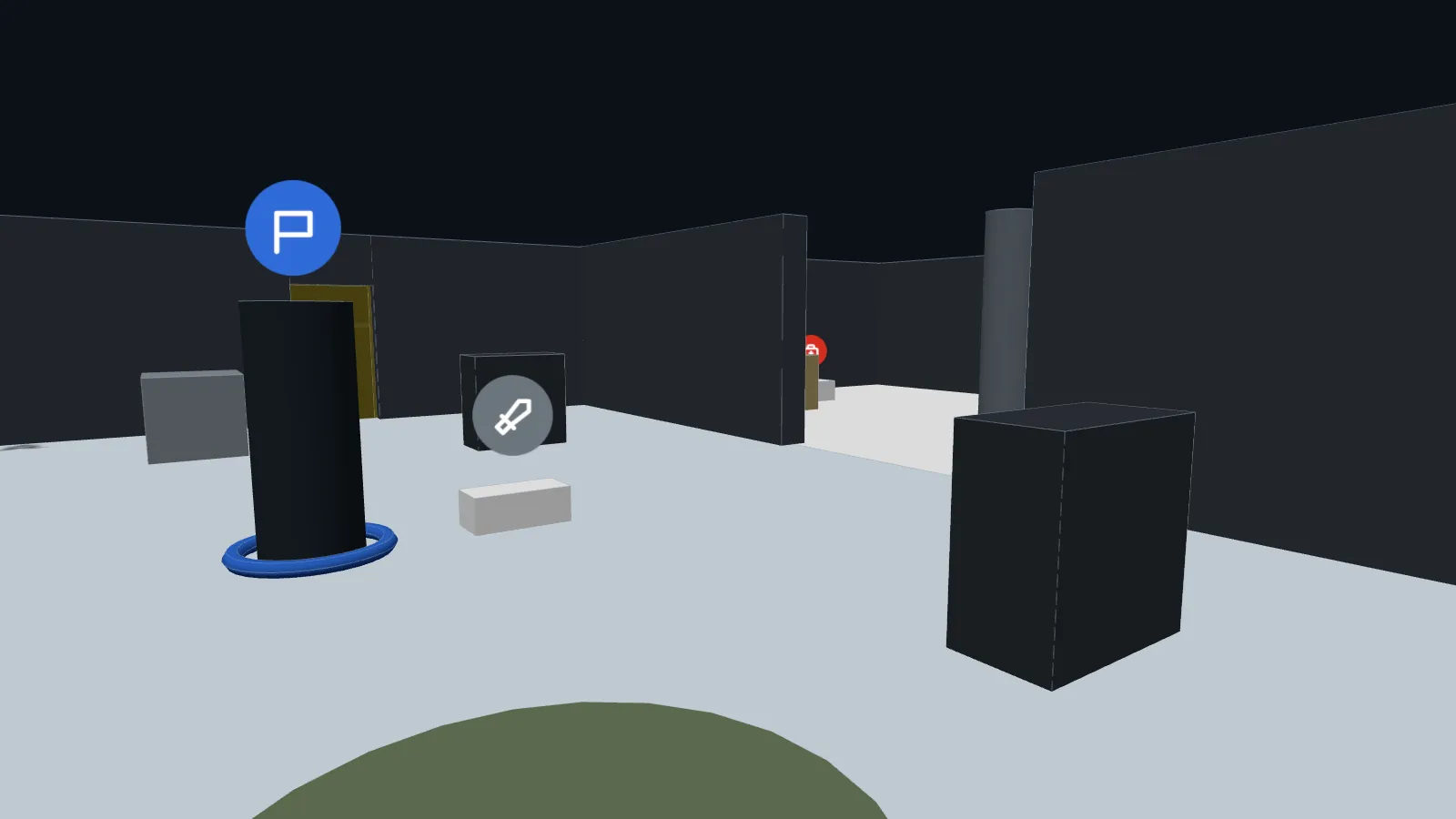
3D · Walk
Walk it before you build it.
Drop into first person at real player scale: run, jump, crouch, climb stairs. A corridor that is too long shows itself in seconds.
W A S DwalkSpacejumpCcrouch
3D · Export
One click. Your engine.
A .zip with real door openings, colliders and spawn points. Built in your browser, uploaded nowhere.
Unity, Unreal Engine and Blender are trademarks of their owners. Level Draft is not affiliated with them.
2D · World map
Design the map with the levels.
Every stage is a card on the world map. Join them with paths, add a secret exit, then step inside any stage to paint its tiles.
- Normal and secret exits
- A check that every stage can be reached
- Each stage plays from its own start
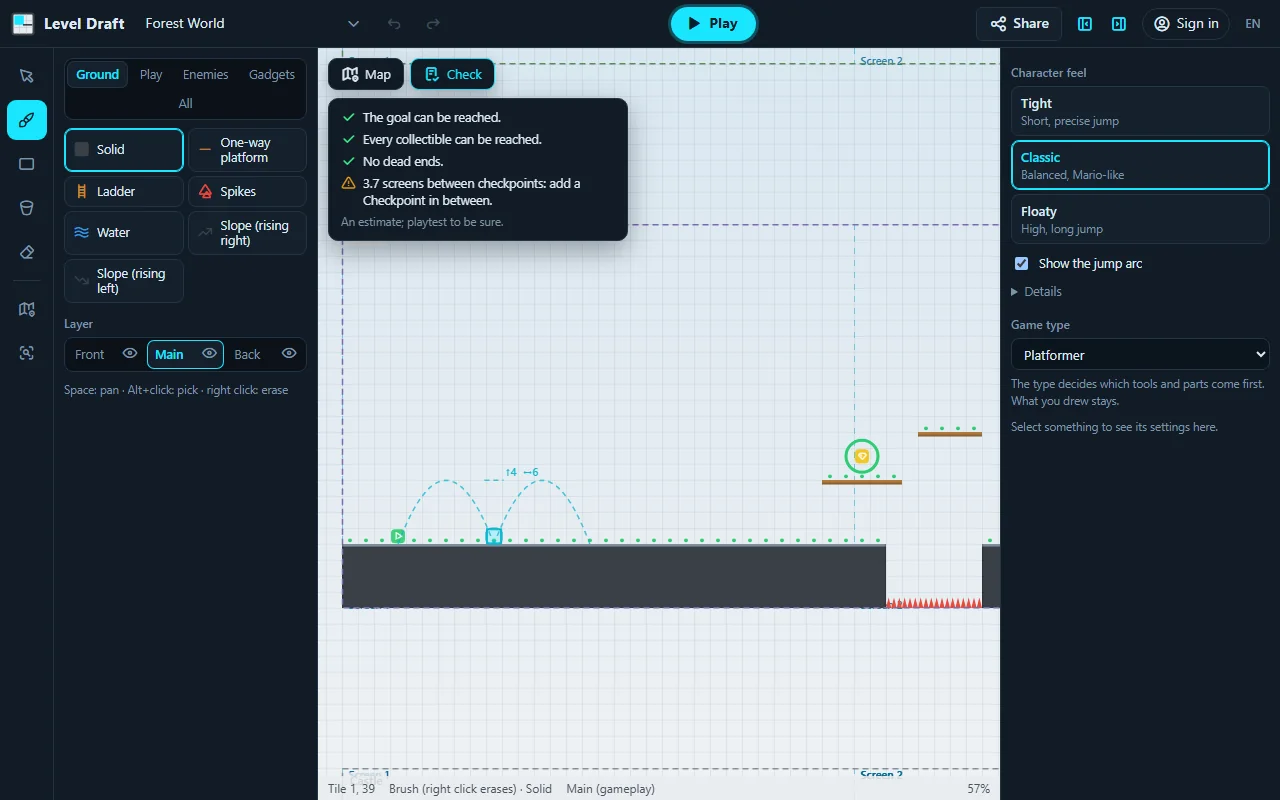
2D · Stage
Paint the level. Play it right away.
Screen lines show how long the stage is, and a ghost player draws the jump arc, so you see what can be jumped while you draw.
- A palette trimmed to your game type
- Check finds an unreachable coin before a player does
- Play the stage from its own start
Export 2D levels to Unity (Tilemap, colliders, objects) or as a Tiled map (.tmj) for other engines.
Together
Share a link. Draw together.
Send an edit link or a view-only link, or show a QR code to your phone. Everyone’s changes and cursors appear live, and each person keeps their own undo.
 Mert
Cenk
What is Level Draft?
Level Draft is a free online level editor for blocking out game levels. You sketch the layout from above in 2D: walls, rooms, doors, stairs, cover and spawn points. Then you walk through it in 3D at real player scale and export it to Unity, Unreal Engine or Blender. Level Draft runs in your browser, needs no install and no account, and can turn a photo of a paper sketch or a few sentences of text into a first draft.
Level designers use Level Draft for greyboxing, testing flow and sight lines, and sharing a layout with a team before anyone builds art.
Questions
Is Level Draft free?
Yes. The editor runs in your browser and is free to use. There is no account and nothing to install.
What kinds of 2D games can I design?
Platformers, metroidvanias and roguelikes in side view. You paint tiles, place enemies, collectibles and goals, connect stages on a world map and play-test in the browser. 2D levels export to Unity (Tilemap, colliders and objects) with a documented level2d.json, plus a Tiled-compatible map (.tmj) that other engines can import.
Where are my levels saved?
In your browser, on your device, automatically as you work. Use “Save to file” to keep a .leveldraft backup or to move a level to another device. Your levels are not uploaded anywhere.
Which game engines can I export to?
Unity (2021.3 or newer), Unreal Engine 5 and Blender, plus any tool that reads glTF/GLB. The export also includes a documented level.json file if you want to write your own importer. That is for 3D levels. 2D levels export to Unity (Tilemap, colliders, objects) plus a documented level2d.json and a Tiled-compatible map (.tmj) for other engines.
Does it work on a phone or an iPad?
Yes. The editor has touch controls: tap to select, drag to move, long-press for a menu, two fingers to zoom and pan, and on-screen buttons for walking in 3D.
What is a level blockout?
A quick, untextured version of a level built from simple shapes, used to test layout, scale and player flow before any art is made. Read the level blockout guide.
Can several people edit the same level?
Yes. Click Share to get an edit link and a view link, also as QR codes. Everyone sees changes and cursors live, and each person has their own undo. Shared levels are stored on the Level Draft server and deleted after 90 days without visits.
Your turn
This level is missing five pieces.
They are hidden on this page. Collect them on the way down, then drag each one into its empty square.
0 / 5 placed